Power Source#
Fuse Tap (xnor harness)#
The xnor harness includes a fuse tap, keeping the OBD-II port free and simplifying cable management.
- Unscrew two Torx T20 screws and remove the passenger footwell cover
- Locate the fuse panel tucked behind
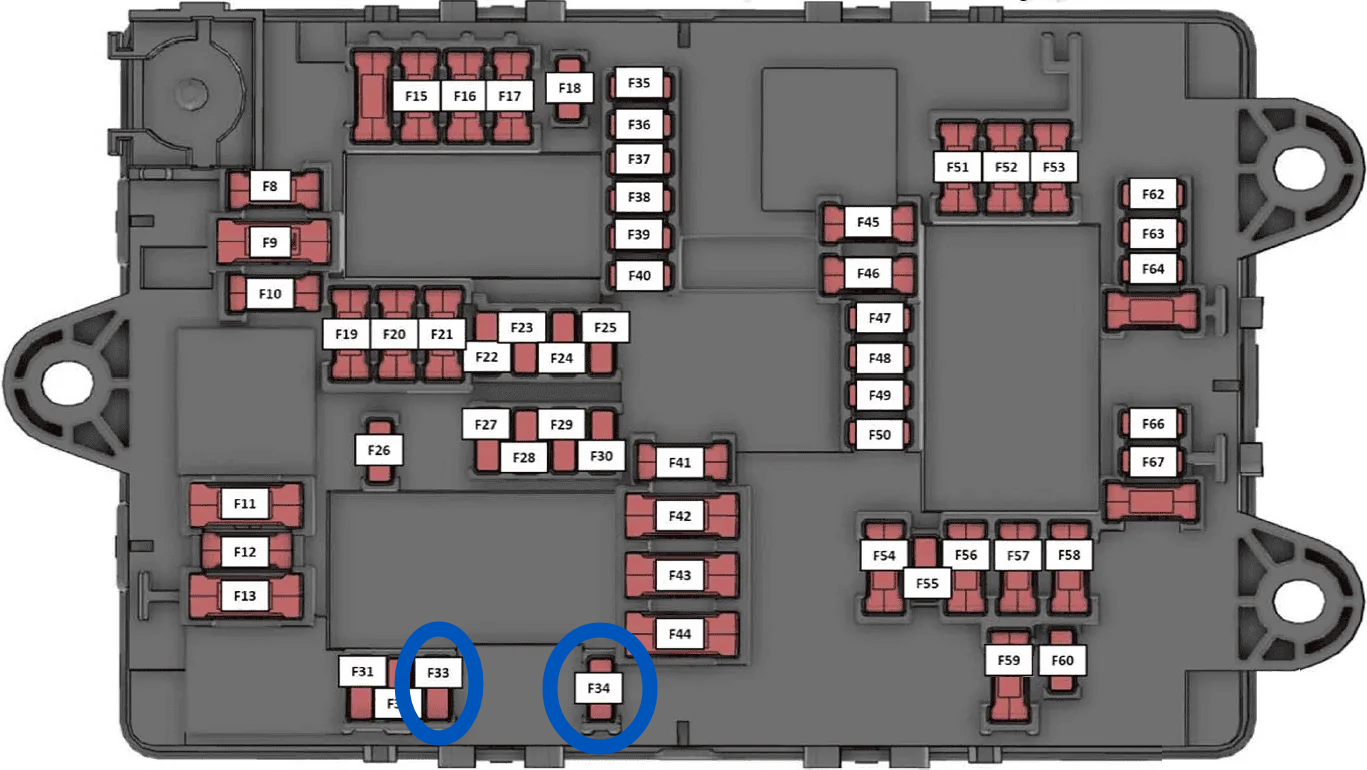
- Remove the fuse from slot F33 (constant 12V, 10A red fuse). Set the fuse aside.
- Plug the fuse tap into the F33 slot. The wire should point toward the AXM (front of car). Orientation matters.
- Check the fuse tap’s two fuses:
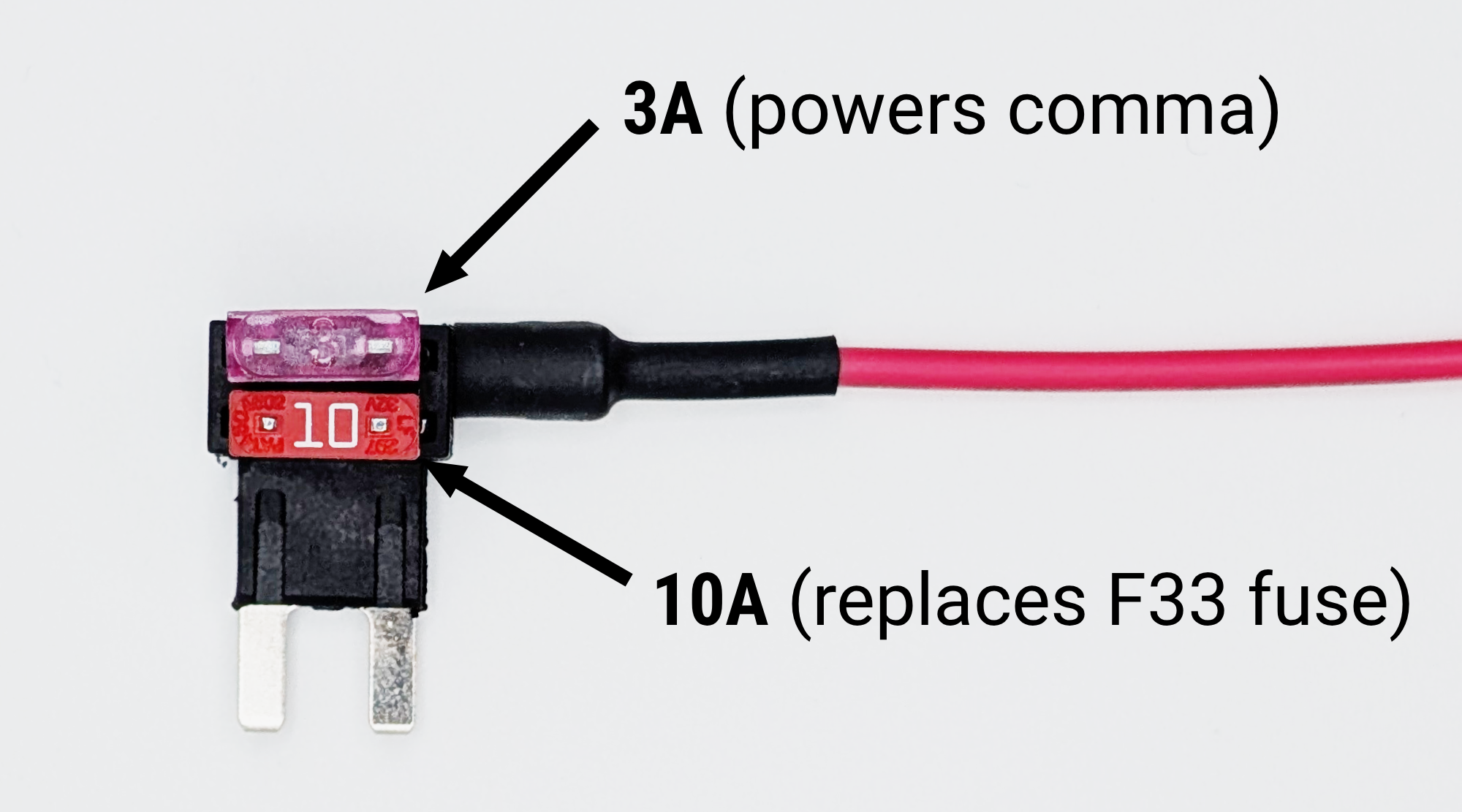
- Upper 3A fuse — powers the comma device. Leave it in place; it doesn’t affect the car circuit.
- Lower fuse — ⚠️ if it’s a yellow 20A fuse, remove it and insert the red 10A fuse you pulled from F33 instead.
- Plug the 4-pin Molex connector into the harness box
- Tuck the harness and wires
- Reattach the passenger footwell cover
Disconnecting AXM Power#
This section only applies if you have a comma.ai harness (not an xnor harness) and want to power it via a fuse tap instead of the AXM. If either condition doesn’t apply to you, skip this section:
- xnor harness — already uses a fuse tap and never draws power from the AXM.
- comma.ai harness left on Comma Power — draws from the AXM by design; nothing to disconnect.
The harness from comma.ai draws power directly from the AXM, which can cause intermittent ACC, radar, and Driver+ errors. Switching to an independent power source (fuse tap) often resolves this.
- Remove the harness from the car (easiest), or use the sleep method to ensure no power runs through the harness
- Remove the harness box from the rest of the harness
- In the wiring connector, locate the two red power wires. These are side-by-side in the connector center.
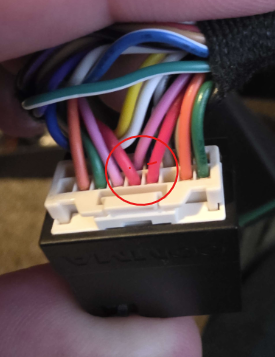
- Use a jeweler’s tool to lift the locking tabs above each wire and gently pull them out of the connector housing
- Insert both removed wires into a Wago clamp (or other secure splice) to connect them directly to each other. This lets 12V bypass the harness box and comma device, isolating them from AXM power.