Tesla Model S with HW1#
Quick Start#
- Get the Tesla Model S (AP1 / HW1) - Harness
- Get a comma four (or comma 3X)
- Connect your comma device to the harness box using a USB 3.1 Gen 2 cable via the OBD-C port
- Install the xnor fork of openpilot
- Take your Tesla for a test drive with openpilot!
- If you see “Car Unrecognized”, fingerprint your car
Supported Devices#
- comma four or comma 3X — recommended
- comma three (deprecated)
See Installing openpilot for the correct version for your device. For details on comma hardware, see the comma hardware repository.
Harness Install Location#
The AP1 harness on Model S installs at the LKAS camera housing behind the windshield (behind the rear-view mirror area).
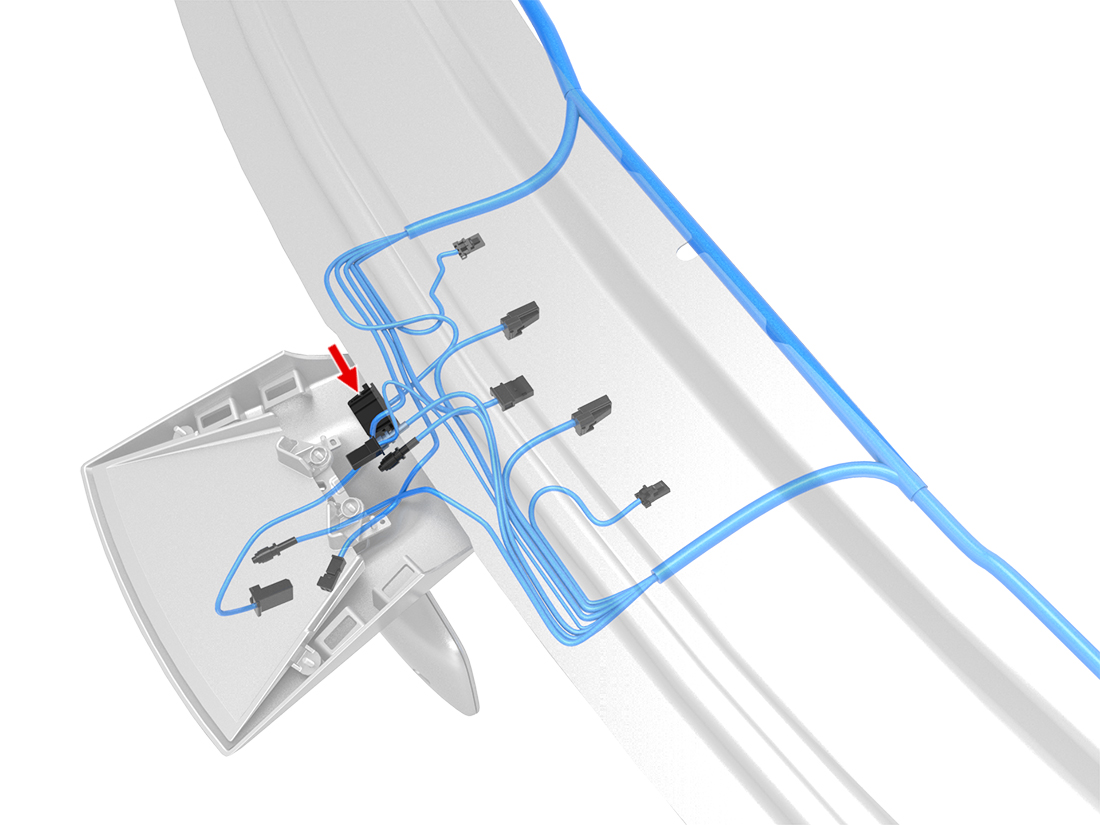
The following video shows the installation location. Note that the video uses an older cable made by Tinkla — the new xnor harness is much smaller and easier to install, but the location is the same.
About HW1#
With Tesla no longer paying any attention to the older Model S (the AP1 was based on the MobileEye platform that Tesla dumped in October 2016 and has received limited code updates ever since), the only option to get new features and functionality is by joining our community and running the xnor branch of openpilot created specifically for Tesla vehicles.