Tinkla Buddy#
| What is Tinkla Buddy? | Tinkla Buddy Install Kit | Installing your Tinkla Buddy | Configuring your Tinkla Buddy |
What is Tinkla Buddy?#
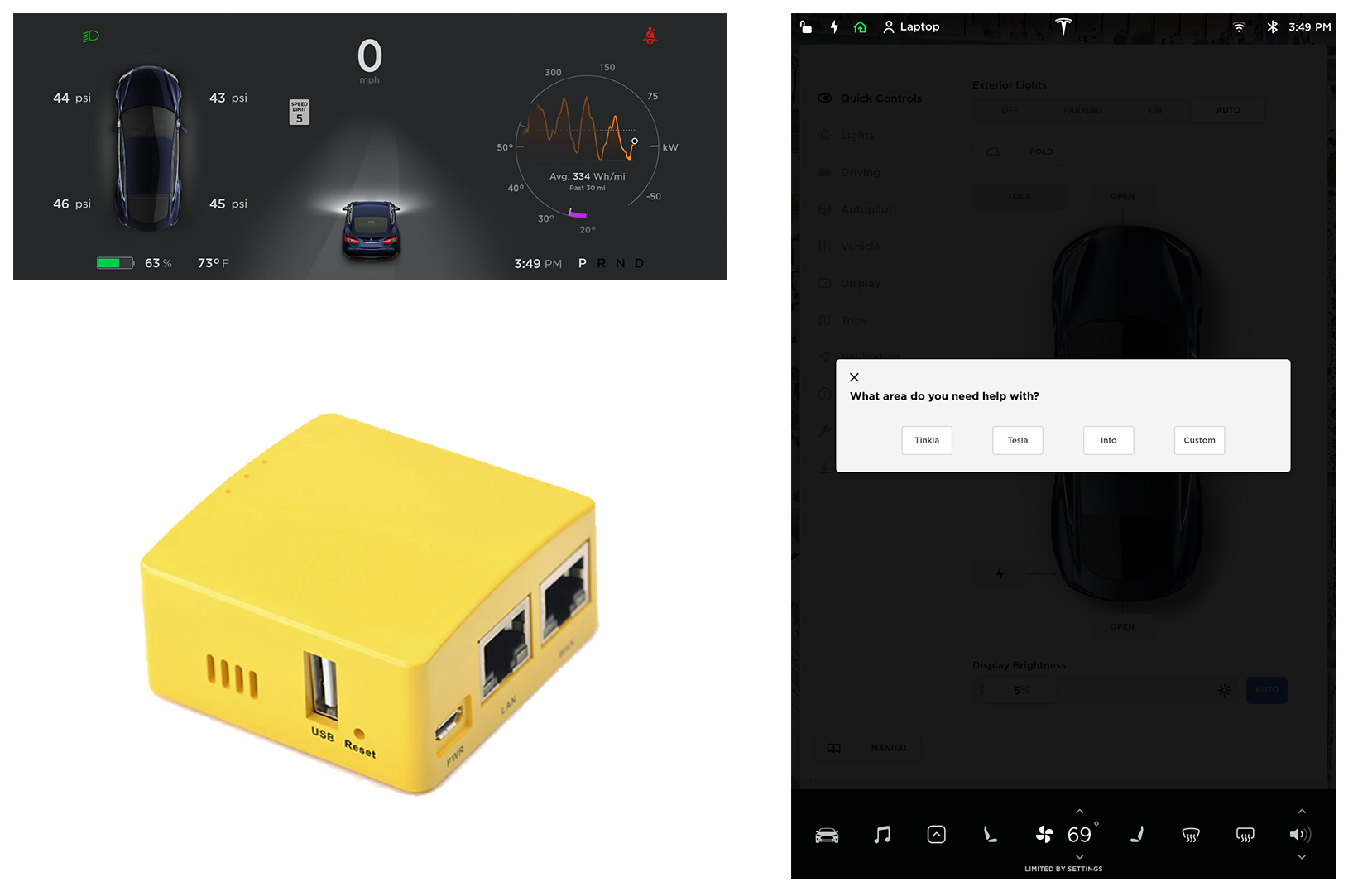
Tinkla Buddy (formerly rPanda) is a nice solution for our Teslas to have Instrument Cluster [IC] integration without root.
If you don’t have root access to your Tesla, you can now enjoy these benefits:
- openpilot Integration into IC for pre-AP cars.
- In car WiFi Access Point
- Control Relay via CID buttons for after-market features
- Secure Remote Access to your car from ANYWHERE
- Root Persistence (2020.36.3.1 verified)
- Vitals to Tinkla
- Cron for CID
- Factory mode
- Remote App (work in progress)
- and More!
Software Design History#
v1.44#
- Tesla 2020.36.3.1 compatibility
- Fast setup detection
- MCU2 Compatibility
- WiFi Client mode
- Keep Awake for Tegras
- Control Relays using Tinkla Buddy Menu
v1.37#
- Fix screenshot capturing script
- Fix issues with detecting MCU1 vs MCU2
- Added sound triggering capabilities on CID
- Fix issues when running old firmware and cid-updater is not working anymore
v1.33#
- Tesla 2020.24.6.1 compatibility
- Remote cron capabilities that allow you to run bash scripts on CID every 1, 5, 15 or 60 minutes (requires root persistence)
- Fixes for persistence scripts to work well with 2020.20 and newer Tesla software
- Speed/reliability improvements
v1.27#
- Fully boot without being connected to either IC or CID
- Reduce number of QtCar restarts by detecting IC state
- Increase automatically switch back to analog to 5 min to allow for buddy reboots without changes to IC
- Increase number of checks for state of IC and CID before pulling Vitals
v1.26#
- Allow Buddy to boot without IC/CID on
- Bug fix for IC not turning on after deep sleep
(Note: Vitals need to be re-enabled after each version upgrade)
v1.25#
- Bug fix for vitals without root on latest versions (up to 2020.12.11.5)
- Bug fix with Factory Mode on latest versions (up to 2020.12.11.5)
- Detects automatically if cars has AP hardware (1/2/2.5/3)
- Detects automatically if car has MCU1 or MCU2 hardware
- Vitals checking is an option now in Tinkla Menu and is disabled by default
v1.22#
- Fully redesigned networking stack for faster response on boot, activation and interaction
- Now Tinkla Buddy can be installed between IC and MCU (IC <–> Buddy <–> MCU) or between MCU and APE (MCU <–> Buddy <–> APE) allowing it to work on both MCU1 and MCU2 cars.
- Auto-detection of MCU type (Tegra vs Intel)
- Auto-detection of AP type (pre-AP, AP1, AP2, AP2.5, AP3)
- Auto-detection of installation location
- Improved WiFi stability
v1.21#
- Fixes issue with starting persistence mode
- LEDs now show status of tinklaBuddy and availability of valid cert
v1.20#
- Menu button trigger for Tinkla Menu for older (LIN based) steering wheel controls
- Fixes brightness control
- Resolves issue with crash when car would go in sleep mode